How to Use Google's NotebookLM for Q&A on The Main Character's Older Brother
I recently bought Volume 2 of Anh trai nhân vật chính (The Main Character’s Older Brother). However, I suddenly realized that because I read so many series, I’d forgotten plenty of characters—and even parts of the plot. Lately, with the AI boom, Google has made NotebookLM available to everyone for free. So I’m taking this opportunity to share how to use NotebookLM to ask questions about the story of Anh trai nhân vật chính.
Note 1: I’m a developer, so I’m a bit lazy about explaining some of the more technical parts. Still, I’ll try my best to keep this guide friendly and easy for everyone to follow. Mistakes are bound to happen though, so if anything is unclear, feel free to leave a comment or message me to discuss. I’m pretty busy, so my reply speed is a bit hit-or-miss.
Note 2: The content I’m using here for Q&A comes from the web novel version posted on Hako, which has some differences compared to the printed light novel!
Preparing the Data
For techies
If you aren’t a tech person, feel free to skip ahead to the next section, where I’ve already prepared the data for you. This part is just for tech folks who want to tinker on their own.
- Clone my repo here: https://
github . Follow the instructions in the README to set it up and crawl the data. Note: I wrote this script a while ago, and lately Hako has been blocked by some ISPs, so make sure your machine can access https://.com/ tiennm99/ atnvc-crawler ln before starting. You can use a VPN or Cloudflare WARP to bypass the block..hako .vn/ - By default, NotebookLM limits both the number of files and the file size per notebook. Currently, the web novel version of Anh trai nhân vật chính on Hako has 133 chapters. So we’ll use a tool to merge the chapters together—I recommend grouping chapters from the same arc into a single file to make them easier to manage. You can use whatever tool you like for this step, or write your own. I DIY’d mine with this script.
- (Optional) Rename the merged files.
For non-tech readers
I’ve uploaded the processed files right below so you can use them directly as web links.
Or you can access them via the following Google Drive folder:
https://
I clean up my Drive pretty often, so I might accidentally forget and delete the shared folder. If you run into any issues, just give me a shout.
Currently, I’ve only updated it up to Chapter 133 on Hako. I may update it further in the future if enough people are interested.
Setting Up NotebookLM
- Go to NotebookLM: https://
notebooklm .google .com/ - Sign in with your Google account
- Create a new notebook. Name it whatever you like, ideally something memorable so it’s easy to tell apart
- Upload the files prepared in the data step:
- If you’re using the web links I hosted above, choose Link -> Website
- If you’re using my Google Drive folder, choose Google Drive -> Google Docs -> Shared with me
- Start using it :D
Tip: Sometimes you only want answers based on the arcs you’ve already read to avoid spoilers. That’s why I recommended grouping chapters by arc above. If you don’t want NotebookLM to know about a specific arc, simply uncheck that arc in the Sources panel.
A Few Demo Screenshots
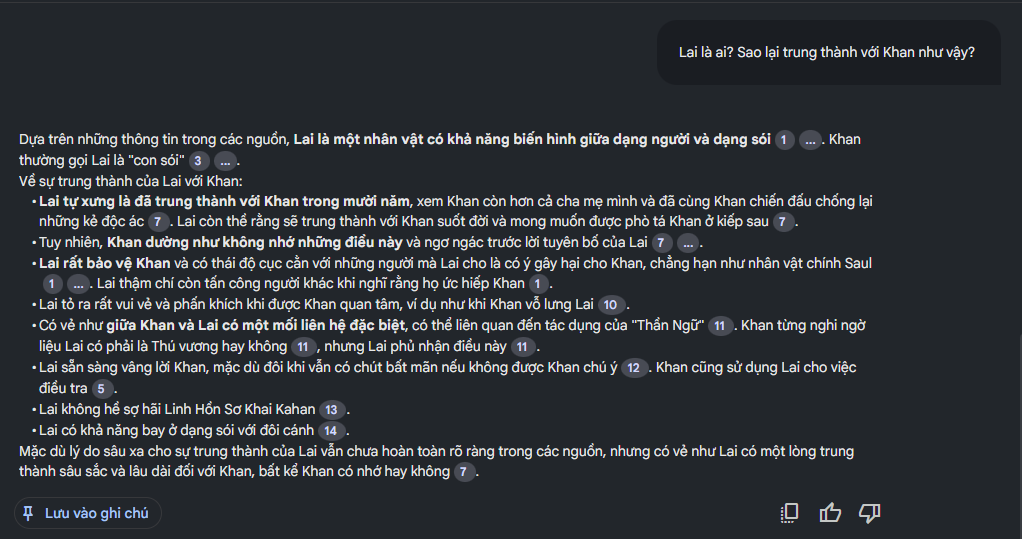
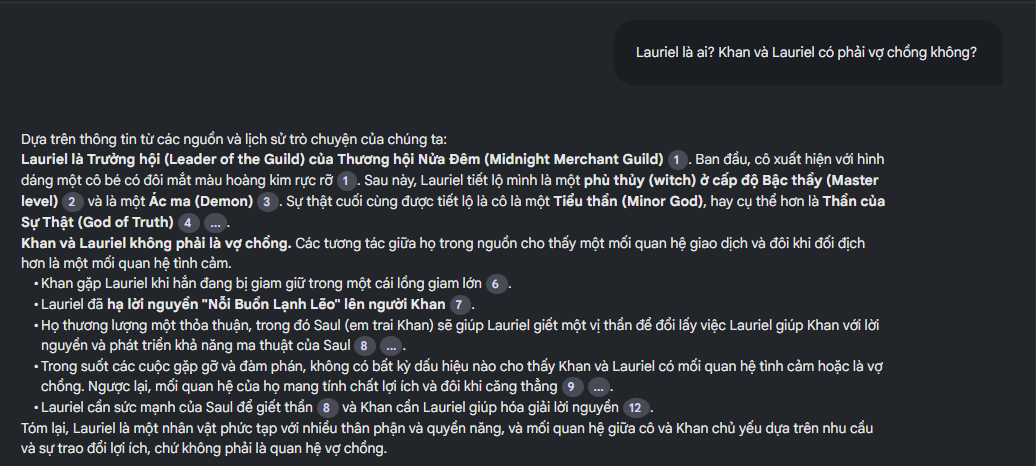
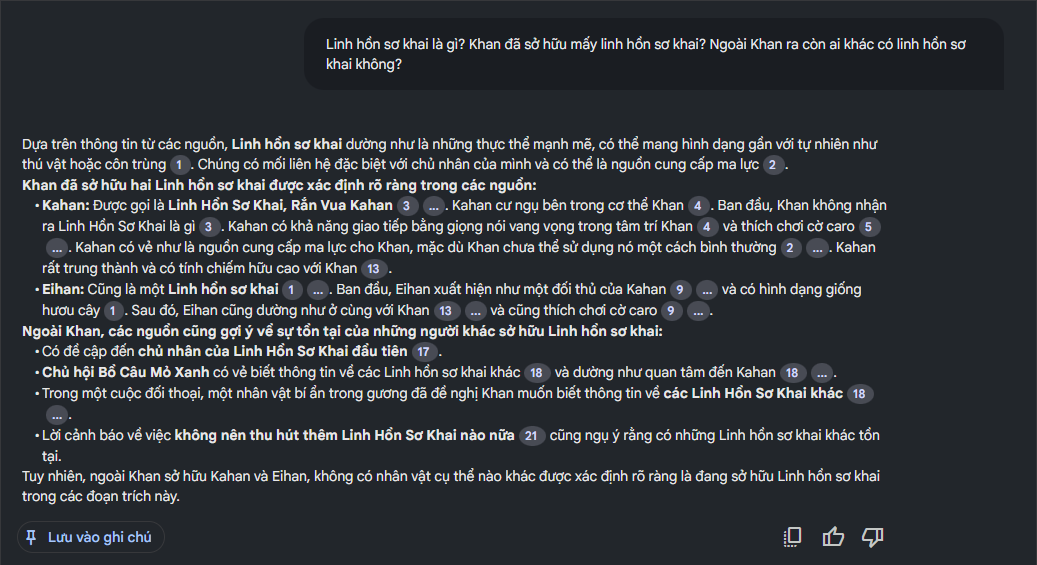
Going Further
In this post I demoed NotebookLM with Anh trai nhân vật chính, but you can actually apply this to any novel or series. Taking it even further, you can use it for work documentation, books, articles, and more. AI is advancing rapidly and holds massive potential, and tech giants like Google are offering powerful free tools like NotebookLM. Whether for work or for fun, it’s super handy. I’m honestly a bit worried that one day AI will put me out of a job too. If any rich benefactor reads this and feels moved, please sponsor this dev 🥺🥺
Comments